Message lacks SPF/DKIM/DMARC Auth Records
Contents
Starting November 5th 2026, Outlook hosted email addresses ( custom domains, hotmail.com, live.com and msn.com ) started bouncing part of the emails sent from domains that don't publish SPF/DKIM/DMARC records.
The common point of the recently bounced emails is the lack of a DMARC record.
At this time, only a portion of the emails sent from domains that don't publish a DMARC record get bounced.
Bounce message
Message rejected: Message lacks SPF/DKIM/DMARC Auth Records (AS9031519)SPF record
By default, this record is generated automatically when you add a domain in your Plesk control panel, using the DNS Template
If you are not using the server assigned nameservers, you need to replicate the SPF record in the authoritative DNS zone
It's a DNS record that indicates the IP addresses that can send emails for your domain name
Record name: <domain>
Record type: TXT
Record value: Starts with v=spf1 followed by a list of records that resolve to IP address or IP addresses, ending with a all mechanism Ex: v=spf1 A MX -all
example.com can't have multiple SPF records, while example.com and sub.example.com each can have an SPF record
DKIM record
This record is managed by Plesk following changes in the domain Mail settings.
If you are not using the server assigned nameservers, you need to replicate the DKIM record in the authoritative DNS zone
It's a DNS record containg the public key used by the mail server to sign sent emails
Record name: [selector]._domainkey.<domain>
Record type: TXT
Record value: starts with v=DKIM1; followed by the key type k=rsa and the actual public key, base64 encoded, p=.....
A domain can publish multiple DKIM records, each with a different selector used by different mail servers
DMARC record
It's a DNS record.
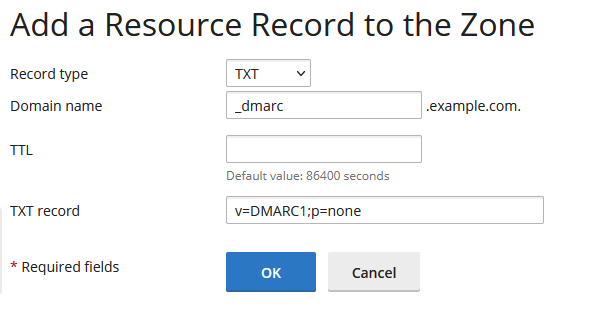
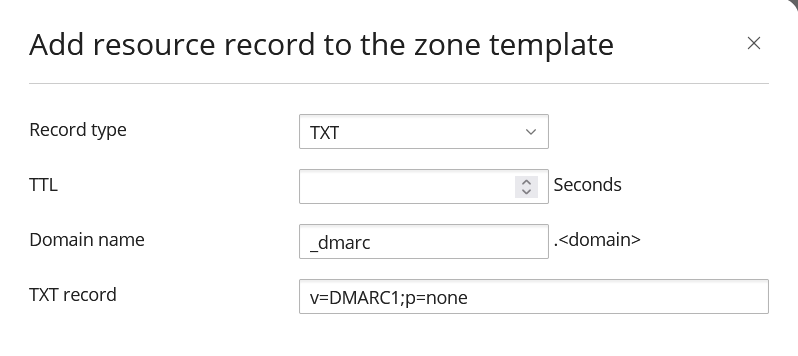
Record name: _dmarc.<domain>
Record type: TXT
Record value: is comprised of at least the v and p tags. A minimal DMARC record value looks like this: v=DMARC1;p=none
p=none is enough to publish the DMARC record. However, once you are confident all you sent emails are sent from SPF covered IP addresses and DKIM signed, you will want to change the p tag value to quarantine and ultimately to reject
We strongly advise to set up a dedicated reports email address where you will receive DMARC reports, in XML format. You can analyse them manually or deploy a web application, like DmarcSrg, that can parse them for you. All you need to do is add the ruf tag followed by the desired email address: v=DMARC1;p=none;ruf=mailto:reports@example.tld
DMARC tags:
- v - Version. At this time only DMARC1 is defined
- p - Policy: none/quarantine/reject
- pct - percent of bad emails on which to apply the policy. Defaults to 100
- sp - You can specify a policy for all subdomains. However, subdomains can publish their own DMARC record
_dmarc.sub.example.com - rua - You can get aggregate reports sent to the email address defined in this tag
- ruf - Specify the email address to receive failure/forensic reports
DMARC record for a domain
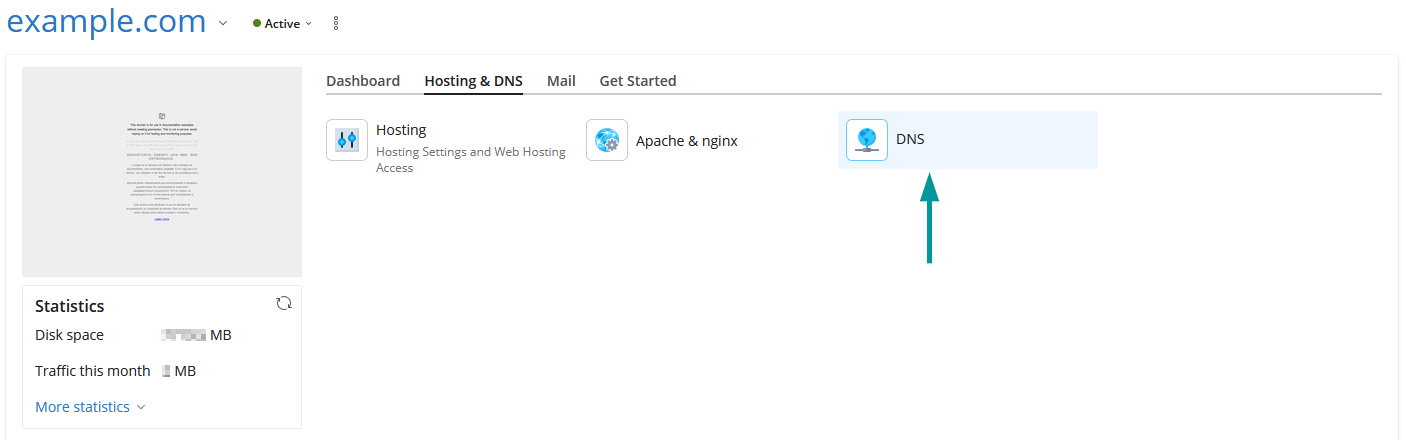
If you manage the domain DNS zone from Plesk, you can add the DNS record from the DNS section:
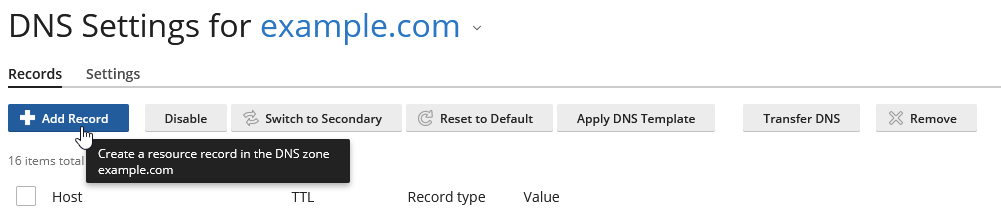
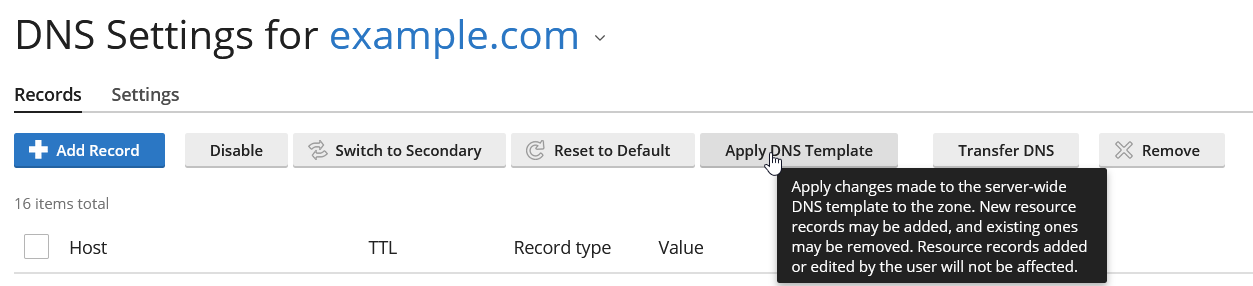
Apply DNS Template
If you've already updated the DNS template, you can apply it to existing domain DNS zones, one by one, closely monitoring the changed records:
DMARC record for all hosted domains
Plesk uses a DNS template to generate a DNS zone for each domain that you add. If it's not already defined, you can define _dmarc DNS record in the DNS template and all new domains that you add to Plesk will have this record in the DNS zone.
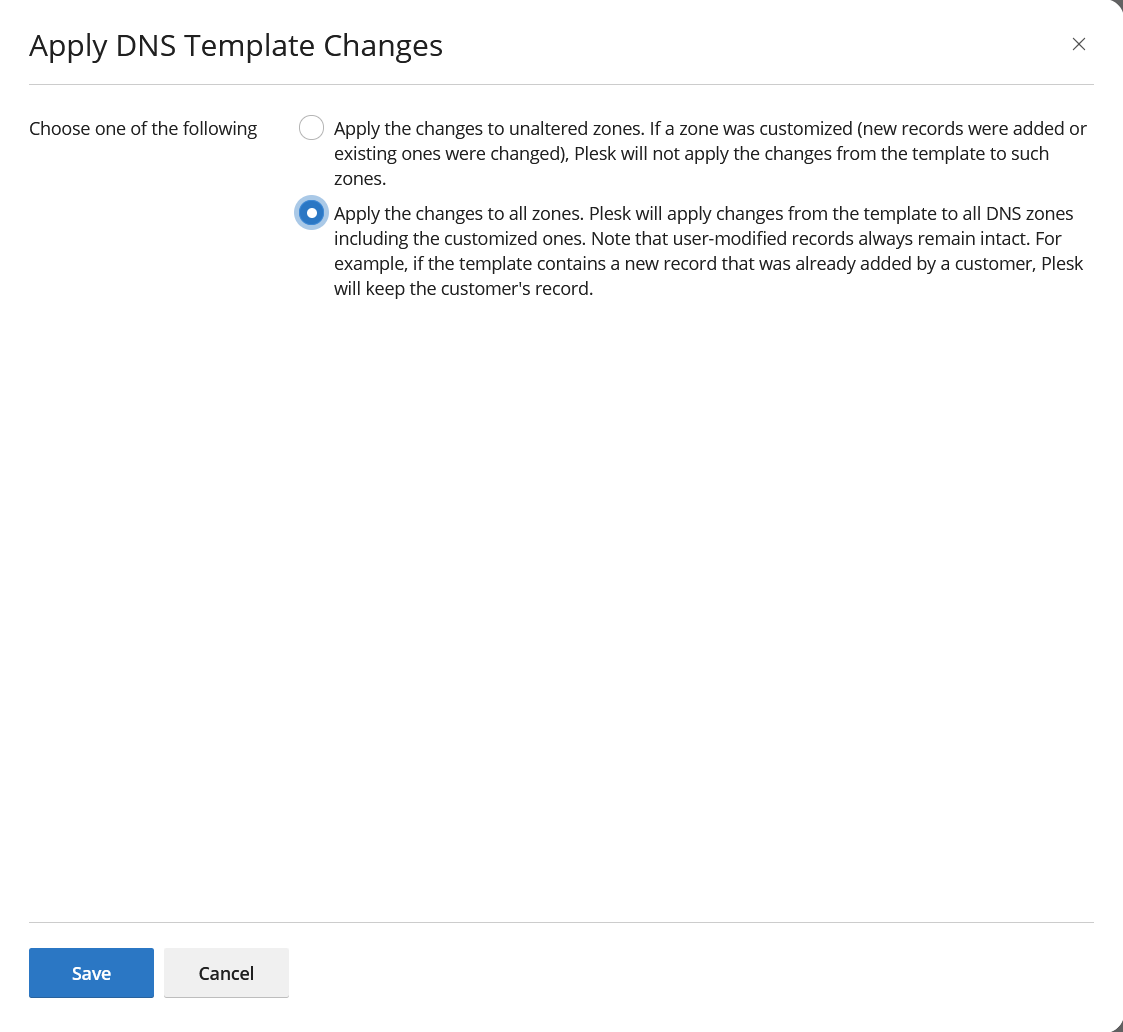
For domains that are already added to Plesk, once the DS template is modified to include the _dmarc DNS record, you can apply the DNS template for each domain or in bulk to all domains at once.
Plesk will apply changes from the template to all DNS zones including the customized ones. Note that user-modified records always remain intact. For example, if the template contains a new record that was already added by a customer, Plesk will keep the customer's record.
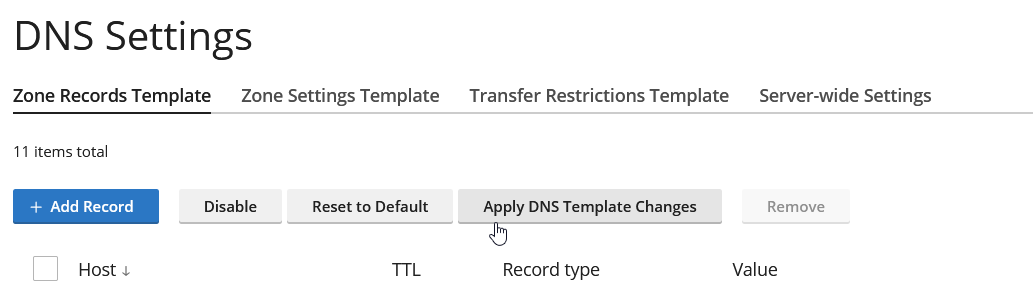
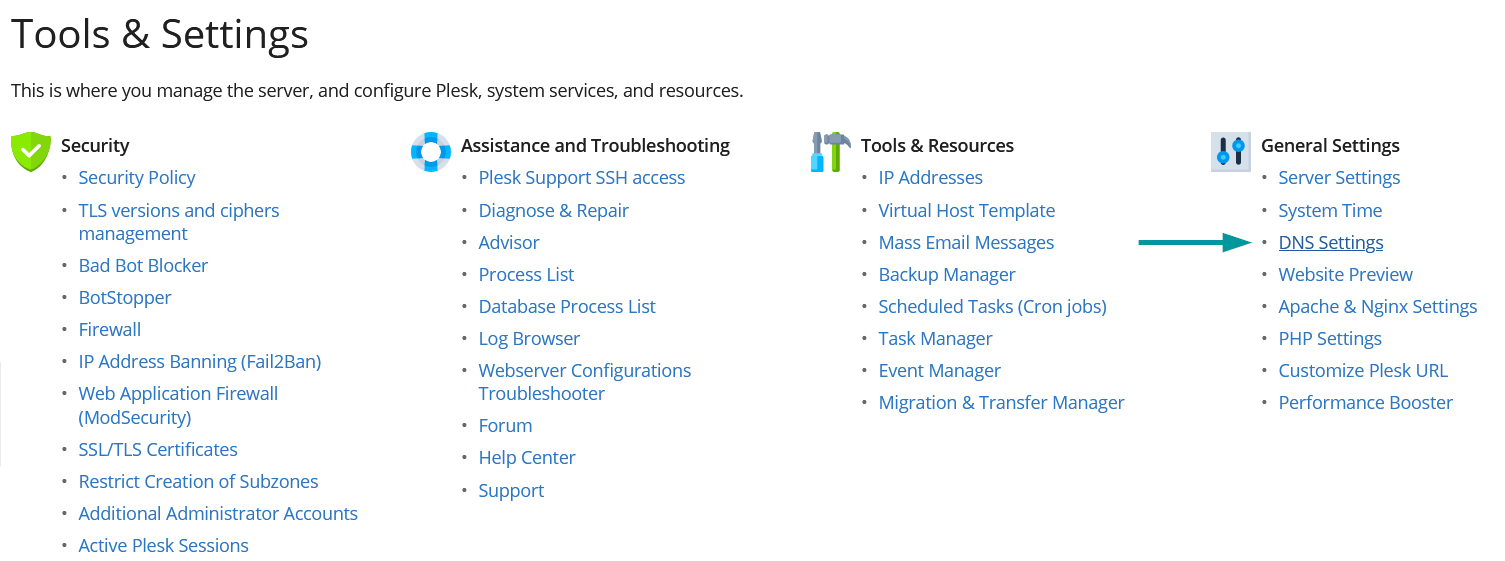
The DNS template can be adjusted from Tools & Settings > General Settings: DNS Settings
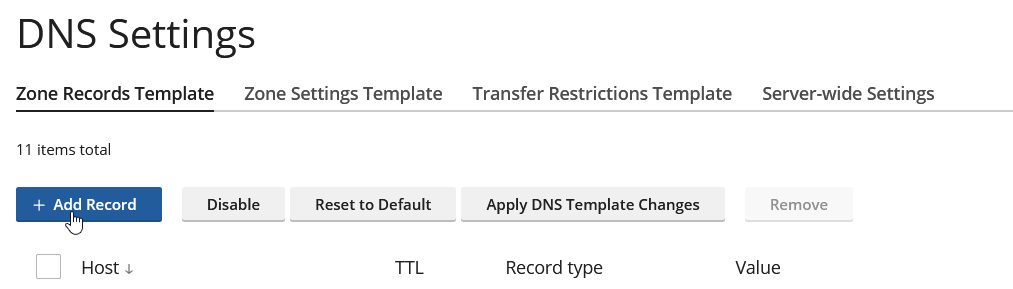
Apply DNS Template Changes
Plesk will apply changes from the template to all DNS zones including the customized ones. Note that user-modified records always remain intact. For example, if the template contains a new record that was already added by a customer, Plesk will keep the customer's record.