Plesk mail in Thunderbird
Here is a step-by-step guide to help you configure Plesk mail in Thunderbird.
Step 1
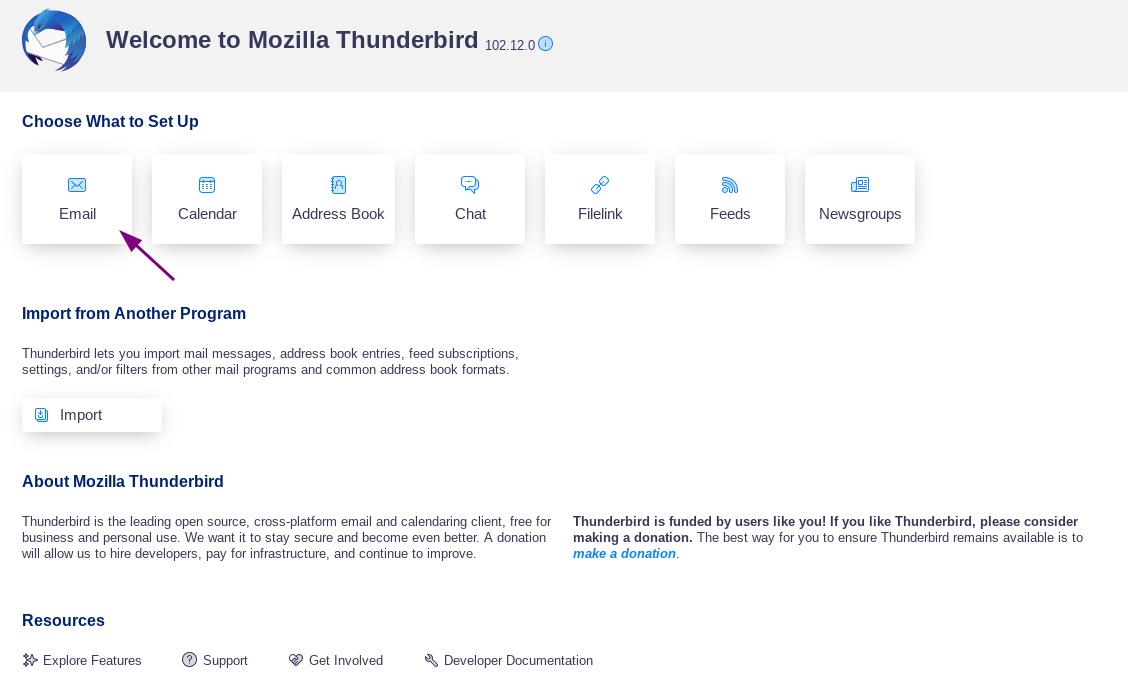
Open Thunderbird and select to set up an email:
Step 2
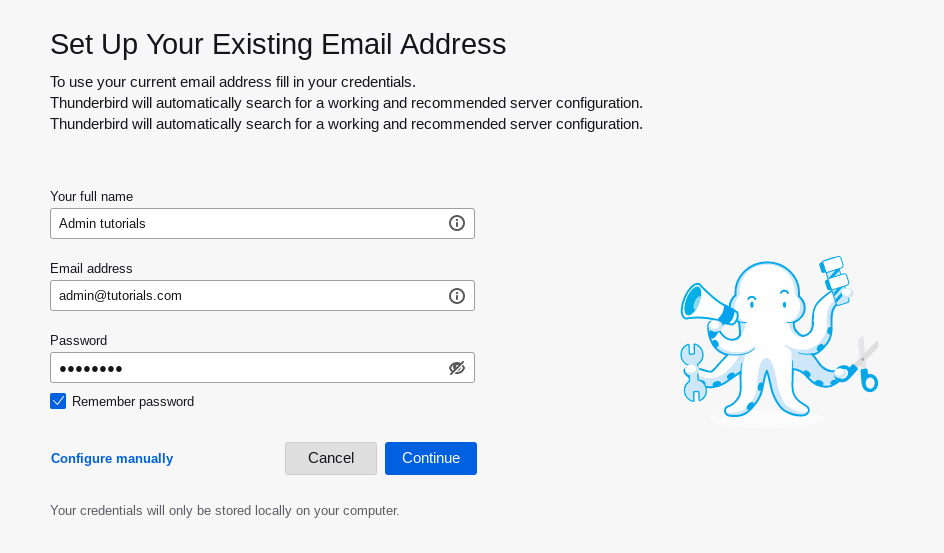
Enter your name, as you want it to appear in any messages you send, email address and password:
Step 3
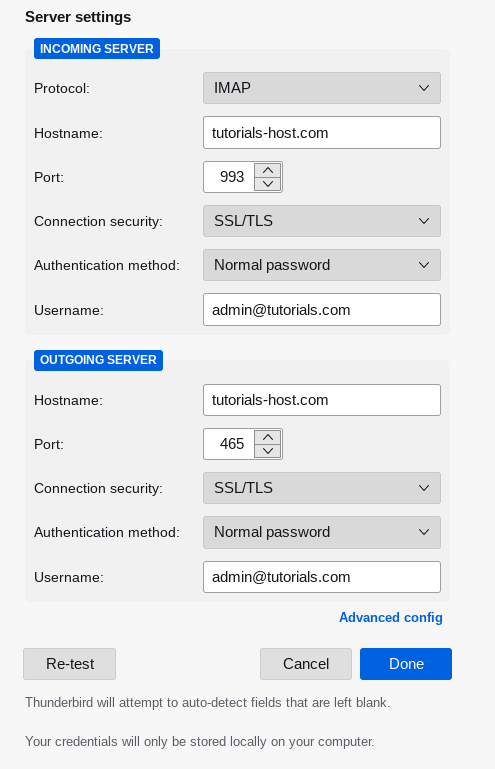
In the manual configuration, adjust the incoming and outgoing Hostname to match your Plesk VPS hostname. The Ports and Connection security should either use STARTTLS or SSL/TSL (with associated ports seen in example pictures):
Alternate port and Connection security option:
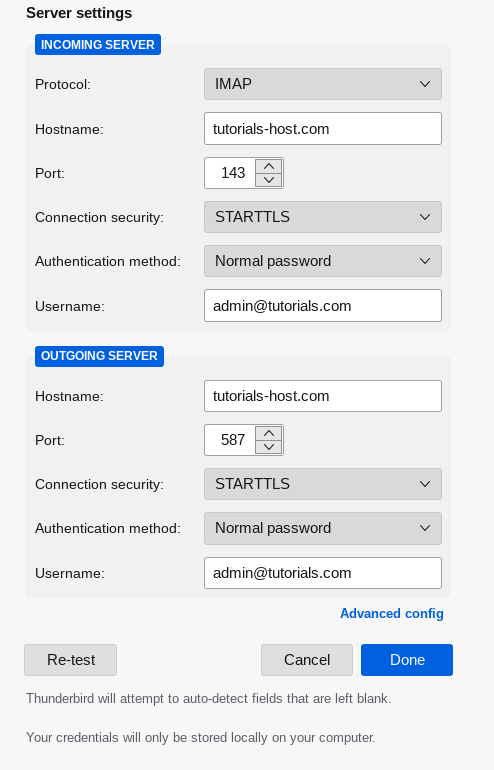
Once set, click Re-test:
Step 4
If the Re-test was successful, you can click Done to finish setting up your email.